Approving, denying & reconfirming
Approve, reject, unassign, deny and reconfirm classifications.
Auto-assignment and manual assignment do most of the work — but Approved status always needs your sign-off. This page covers the review actions.
Approving an assigned product
Products in the blue Assigned Products view have a product class (found by auto-assignment) waiting for review. Click the row's Approve button to open the dialog:
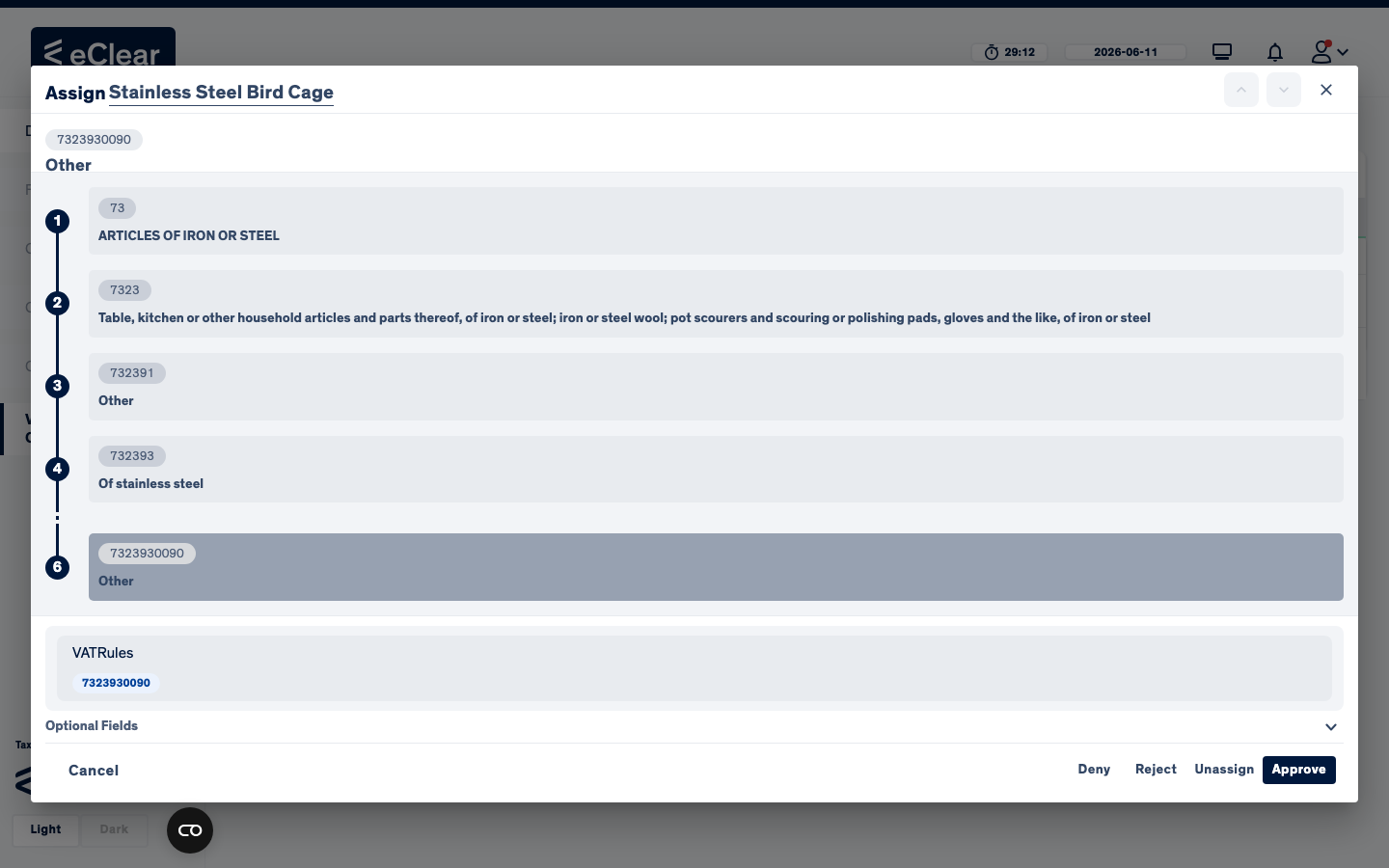
The dialog shows the path through the tariff tree to the assigned class — in the example, the bird cage was auto-assigned to 7323930090 (Articles of iron or steel → household articles → of stainless steel → other). Review the path, optionally record a reason under Optional Fields, then choose:
- Approve — confirm the class. Status becomes Approved; the product now returns proper VAT rates.
- Reject — the class is wrong/insufficient; status becomes Rejected and the product reappears in the Unassigned view for re-classification.
- Unassign — remove the class entirely; status becomes Unassigned.
- Deny — exclude the product from classification (see below).
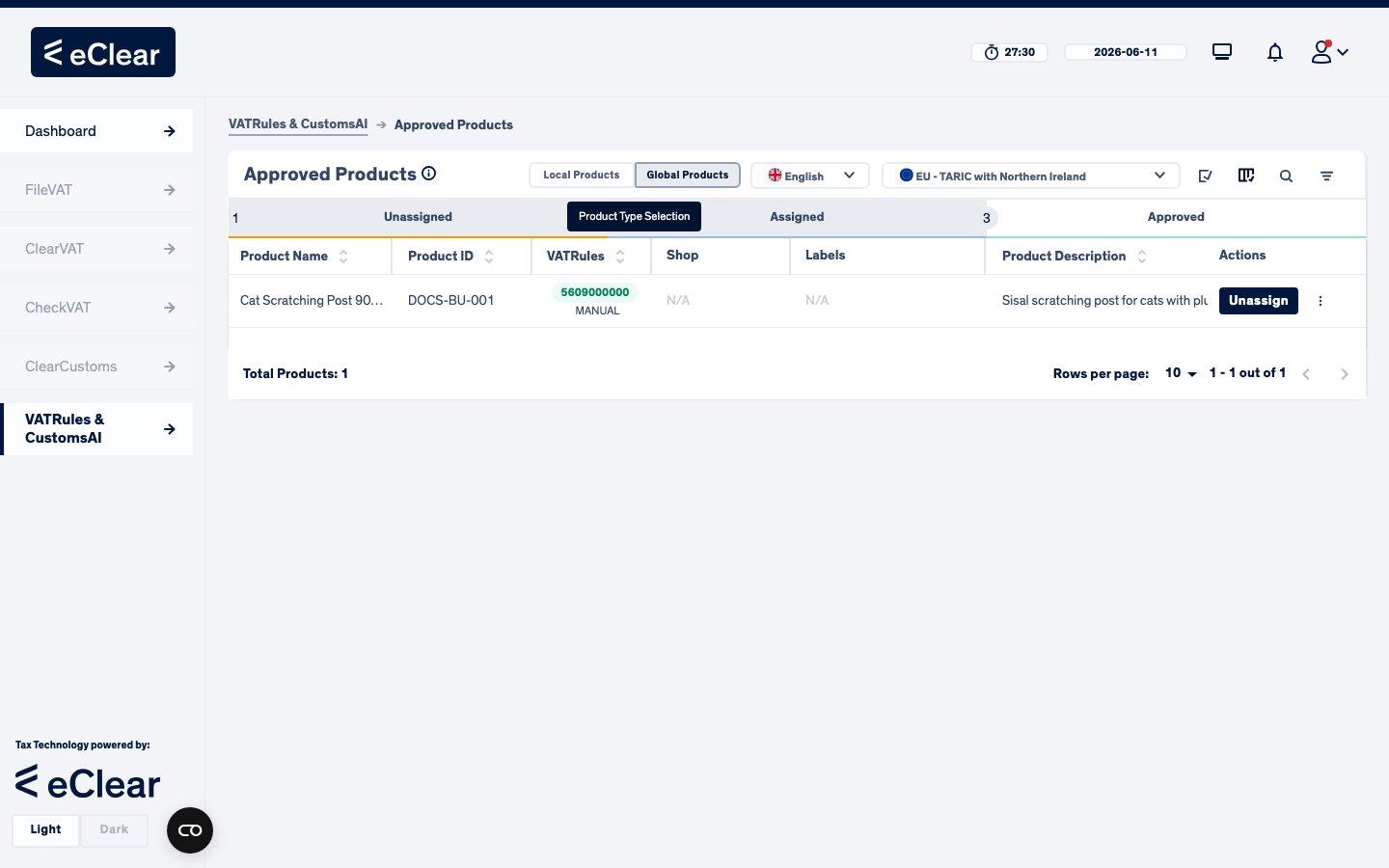
After approving, the product appears in the green Approved Products view:
Tip
Approved is not a dead end. If a classification turns out to be wrong, use Reject to keep the current product class and carry on refining from there, or Unassign to erase the current product class and start again from scratch. Use Deny only when the product should be excluded from classification entirely.
Denying a product
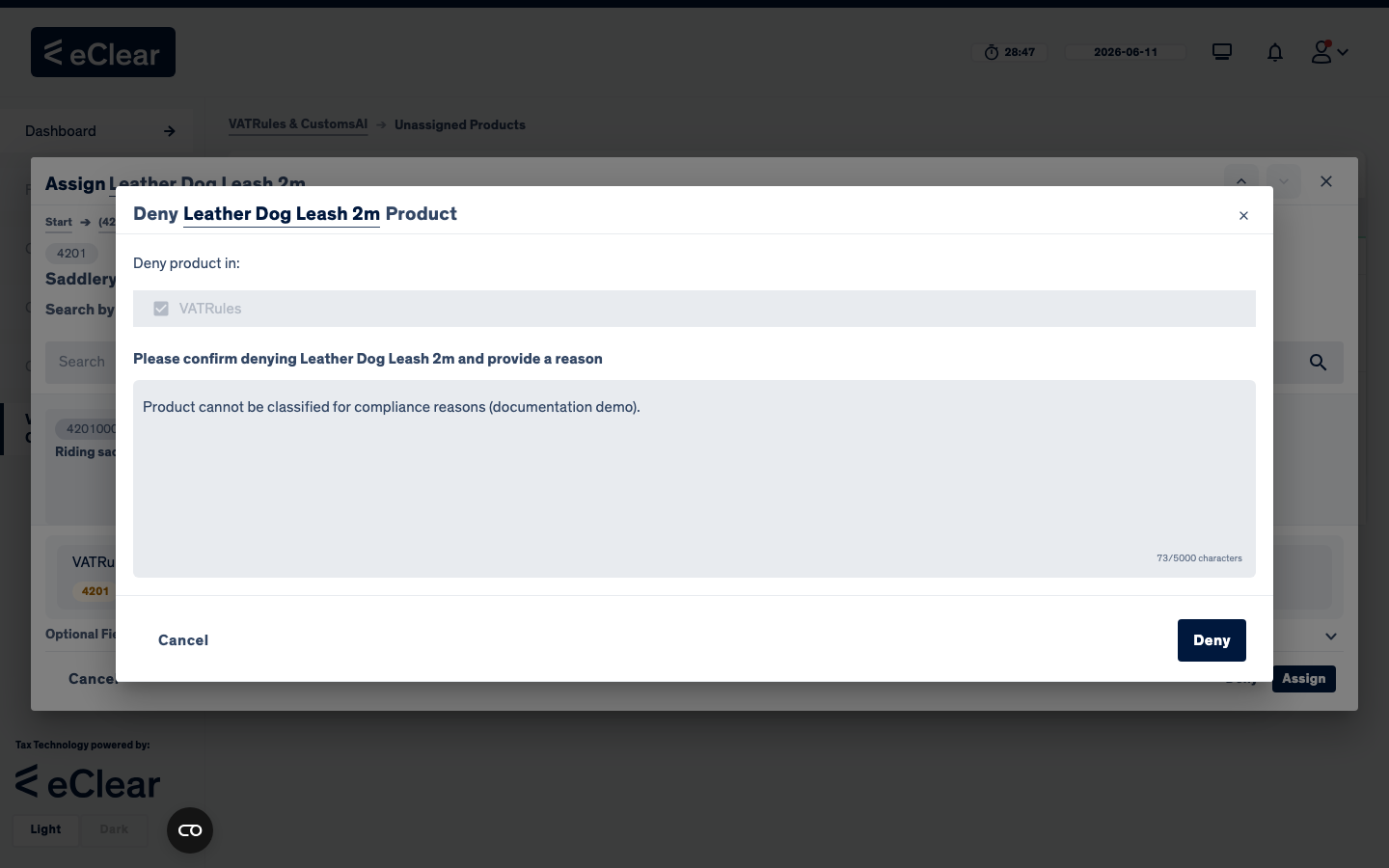
Deny marks a product as not to be classified — typically for compliance reasons (e.g. products excluded by the terms of business). Deny is available in the assign/approve dialogs and in the row menus.
A confirmation dialog opens, and — unlike the other actions — the reason is mandatory:
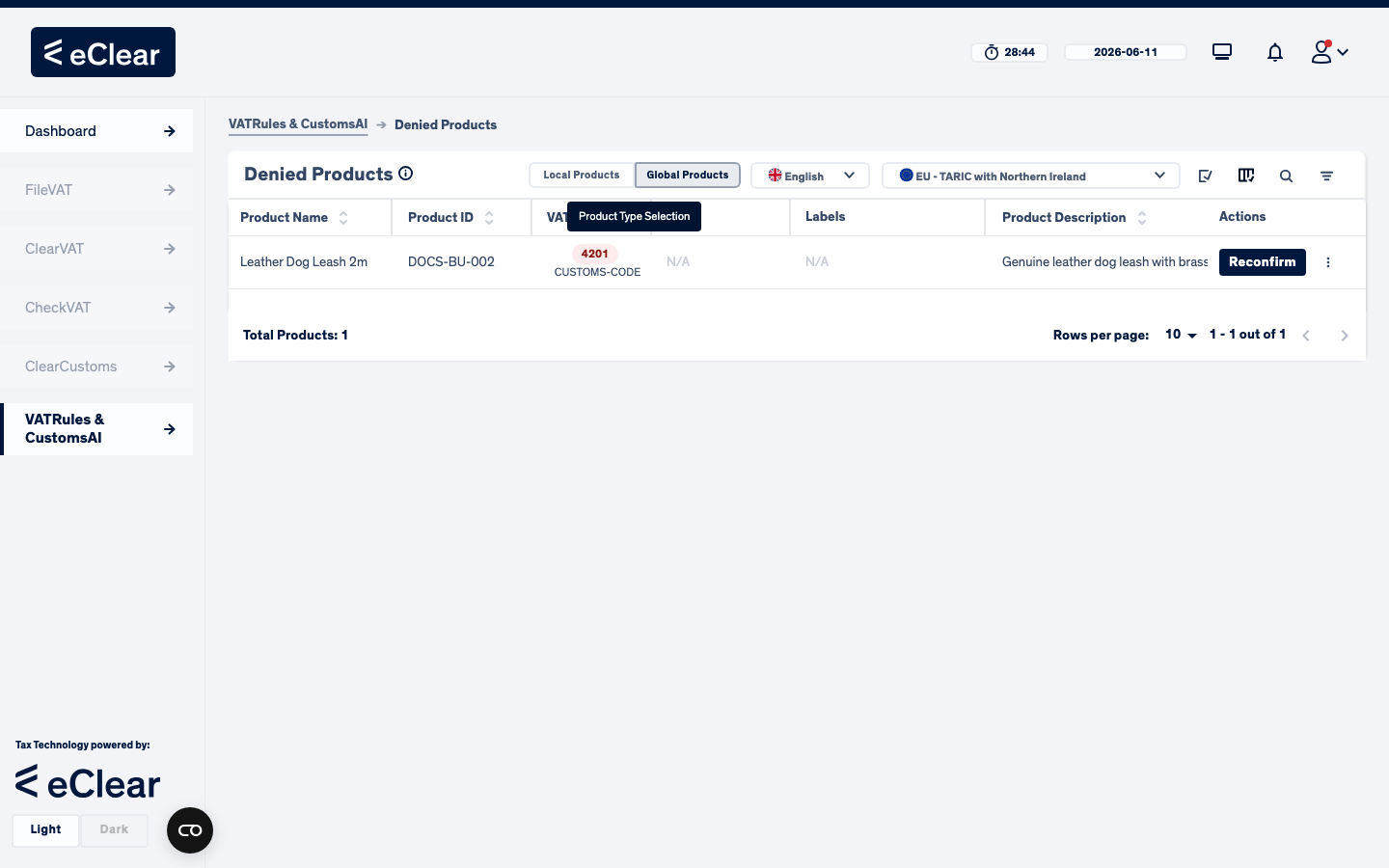
The product moves to the red Denied Products view and is excluded from the normal workflow:
Reconfirming a denied product
To bring a denied product back, open the Denied Products view and click Reconfirm. You must again provide a reason:
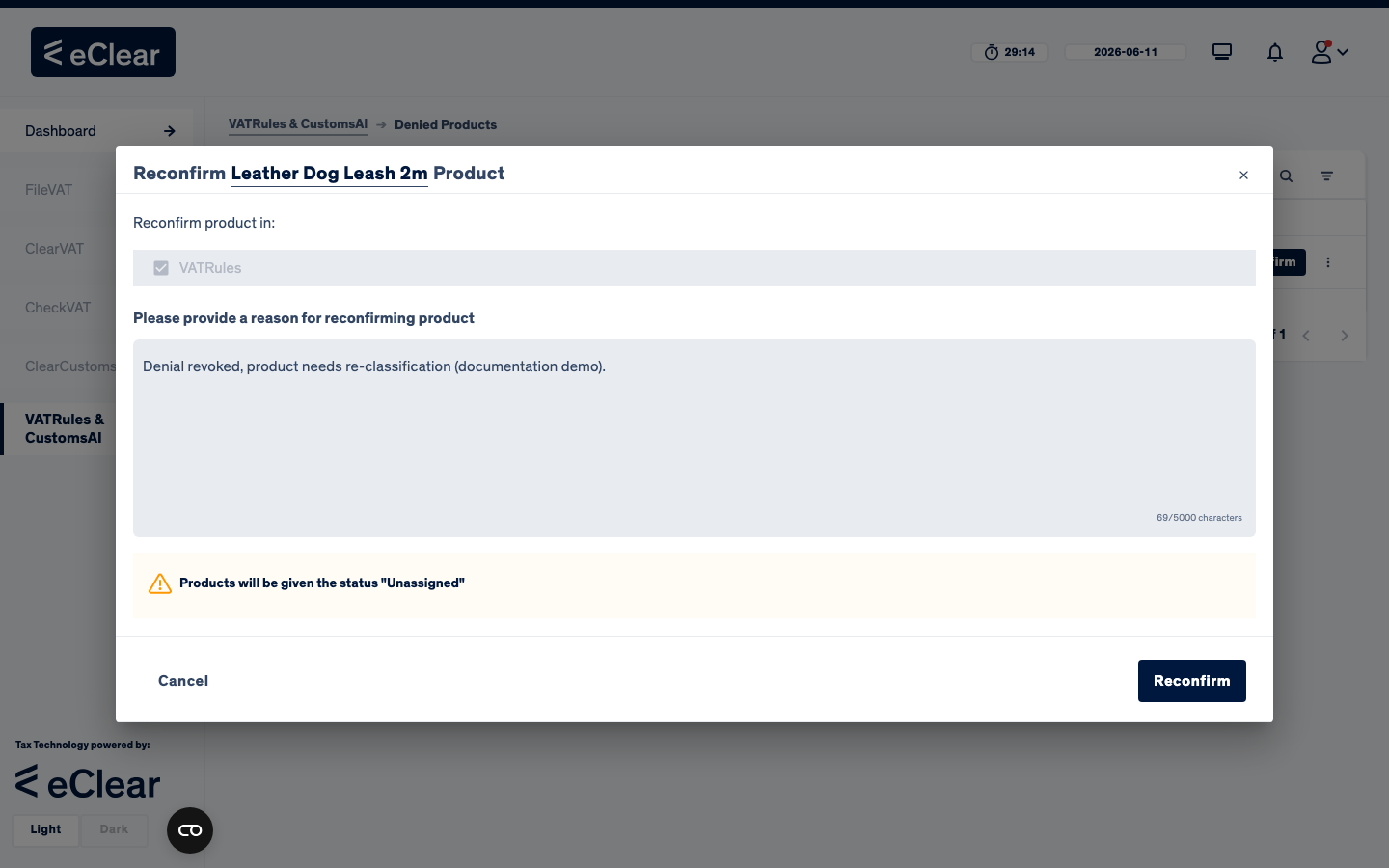
The product returns with the status Rejected — i.e. it lands in the Unassigned view, flagged for (re-)classification.
Every action is recorded
Each approve/reject/deny/unassign/reconfirm — including your reason — is written to the immutable assignment history.