Classifying Products
Assignment history
The audit trail of every status change on an assignment.
Every status change of an assignment is recorded — who did it, when, what changed, and the reason that was given. This is your audit trail for tax compliance.
Viewing the history
In any assignment view, open the ⋮ menu of a product row and choose View History:
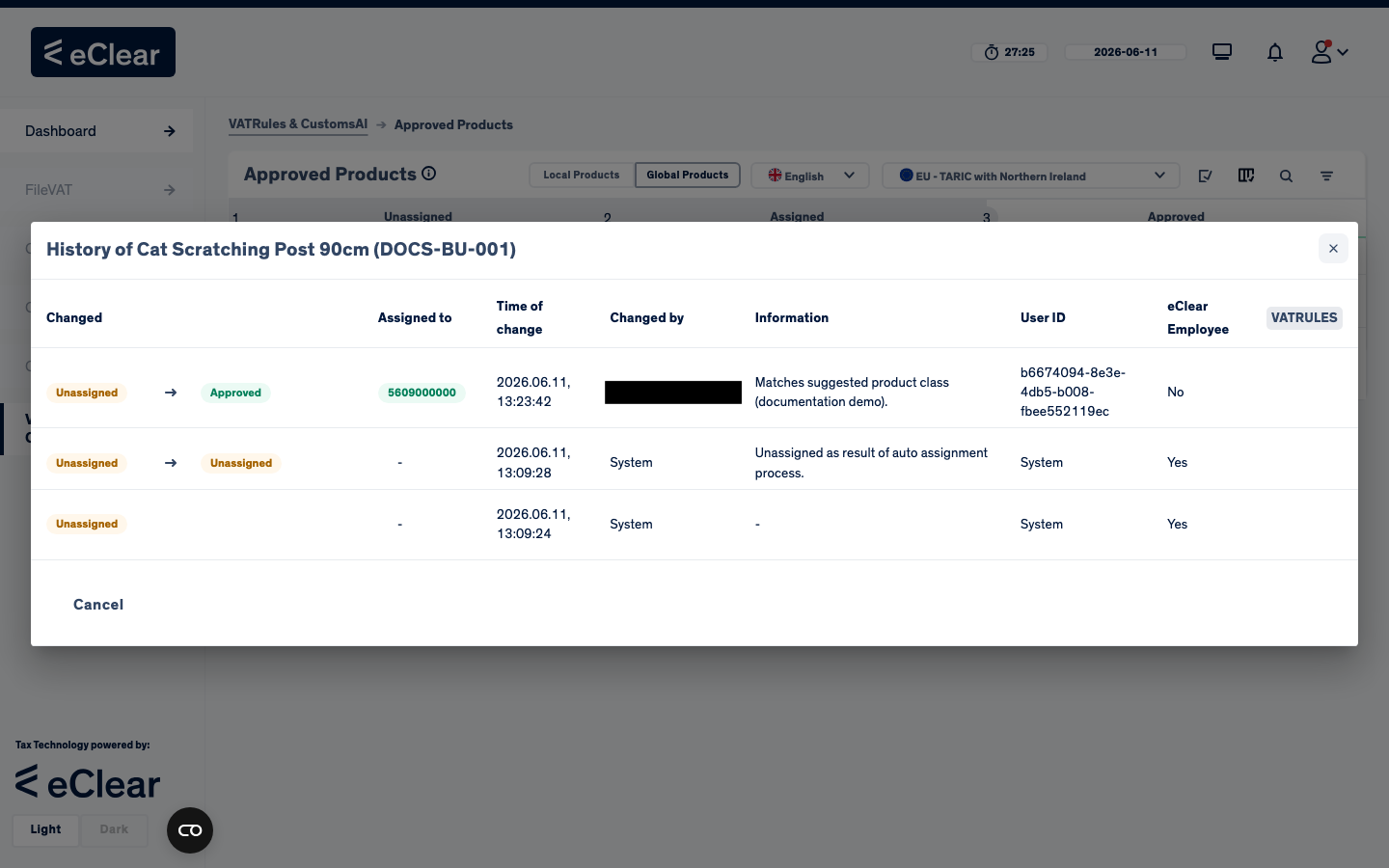
Each row is one transition, newest first:
| Column | Meaning |
|---|---|
| Changed | status before → after (e.g. Unassigned → Approved) |
| Assigned to | the product class code set by this change |
| Time of change | timestamp |
| Changed by | the user — or System for auto-assignment steps |
| Information | the reason recorded with the action |
| eClear Employee | whether the change was made by eClear staff |
Reading the example
The cat scratching post was created (status Unassigned, by System), auto-assignment ran but could not find a sufficient class ("Unassigned as result of auto assignment process"), and finally a user assigned the suggested class with the recorded reason — jumping the status to Approved.