The assignment workflow
How products move from Unassigned to Approved, and where you do the work.
An assignment links a product to a product class in eClear's product taxonomy — an extended version of the official customs taxonomies (TARIC, TARES, UKGT) — explained in the Glossary. The product class is what ultimately determines the VAT rate of the product in every country. This chapter explains the workflow; the next pages show each step in the UI.
The status lifecycle
Three things are worth remembering:
- Auto-assignment can never approve. Reaching Approved always requires a human action — that is your quality gate.
- "Sufficient" means the product class is specific (deep) enough to determine VAT rates for all supported countries. Assigning a class that is too coarse results in Rejected instead of Approved.
- Denied is the parking lot for products that must not be classified (e.g. ruled out by terms of business). It can only be left via Reconfirm.
Where you do the work
The three dashboard tiles open the same screen — the assignment product overview — pre-filtered to a status. Inside the screen, the numbered step tabs (1 Unassigned · 2 Assigned · 3 Approved) let you move between the stages without going back to the dashboard.
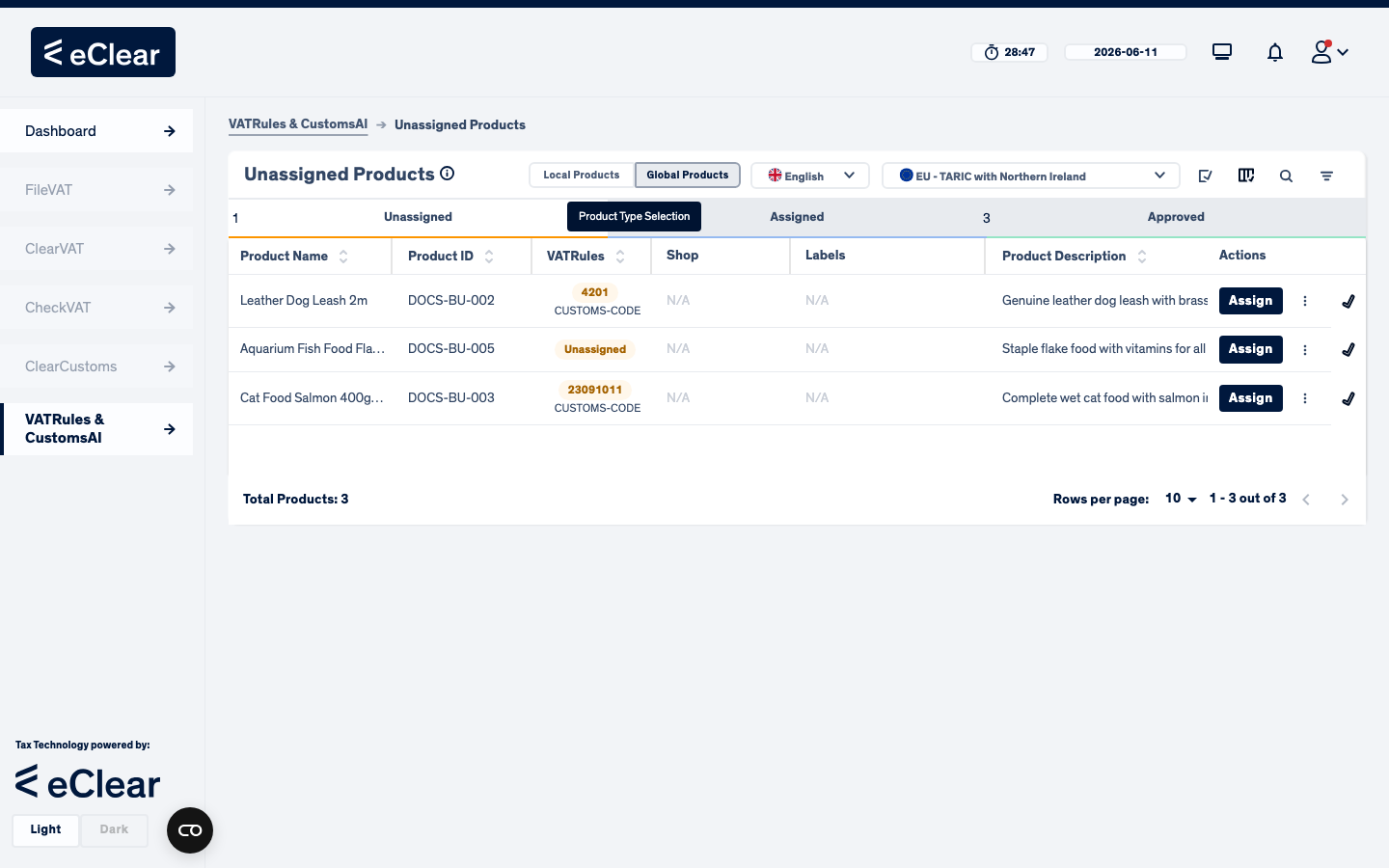
Per row you see the product, its current class suggestion (the yellow chip — e.g. 4201 found by the CUSTOMS-CODE strategy), and the primary action button for its status:
| Product status | Primary action | Other actions (… menu / dialog) |
|---|---|---|
| Unassigned / Rejected | Assign | Deny, View History |
| Assigned | Approve | Reject, Unassign, Deny, View History |
| Approved | Unassign | Reject, Deny, View History |
| Denied | Reconfirm | View History |
The toggles at the top of the screen work the same as everywhere: Local/Global products, table content language, and the taxonomy selector.
Auto-assignment in a nutshell
When a product is created, eClear tries to classify it automatically using (in the default order):
- CUSTOMS-CODE — if you supplied a customs/TARIC code, use it directly.
- DESCRIPTION — a machine-learning model predicts the class from the product name, description and tags. Many languages are supported (German works best, then English). It only assigns automatically when its confidence is above your minimum compliance threshold (the Minimum CustomsAI Compliance setting; see Settings).
The strategy order, the confidence threshold and the stopping rule are configurable in Settings.