Bulk upload
Import up to 500 products at once from a CSV or XLSX file.
Bulk upload imports up to 500 products at a time from a CSV or XLSX file (max. 10 MB). It is the fastest way to get your catalogue into VAT classification.
Open it from the dashboard card Bulk Upload (or VAT classification → Bulk Upload in the breadcrumb).
Step 1 — Configure the upload
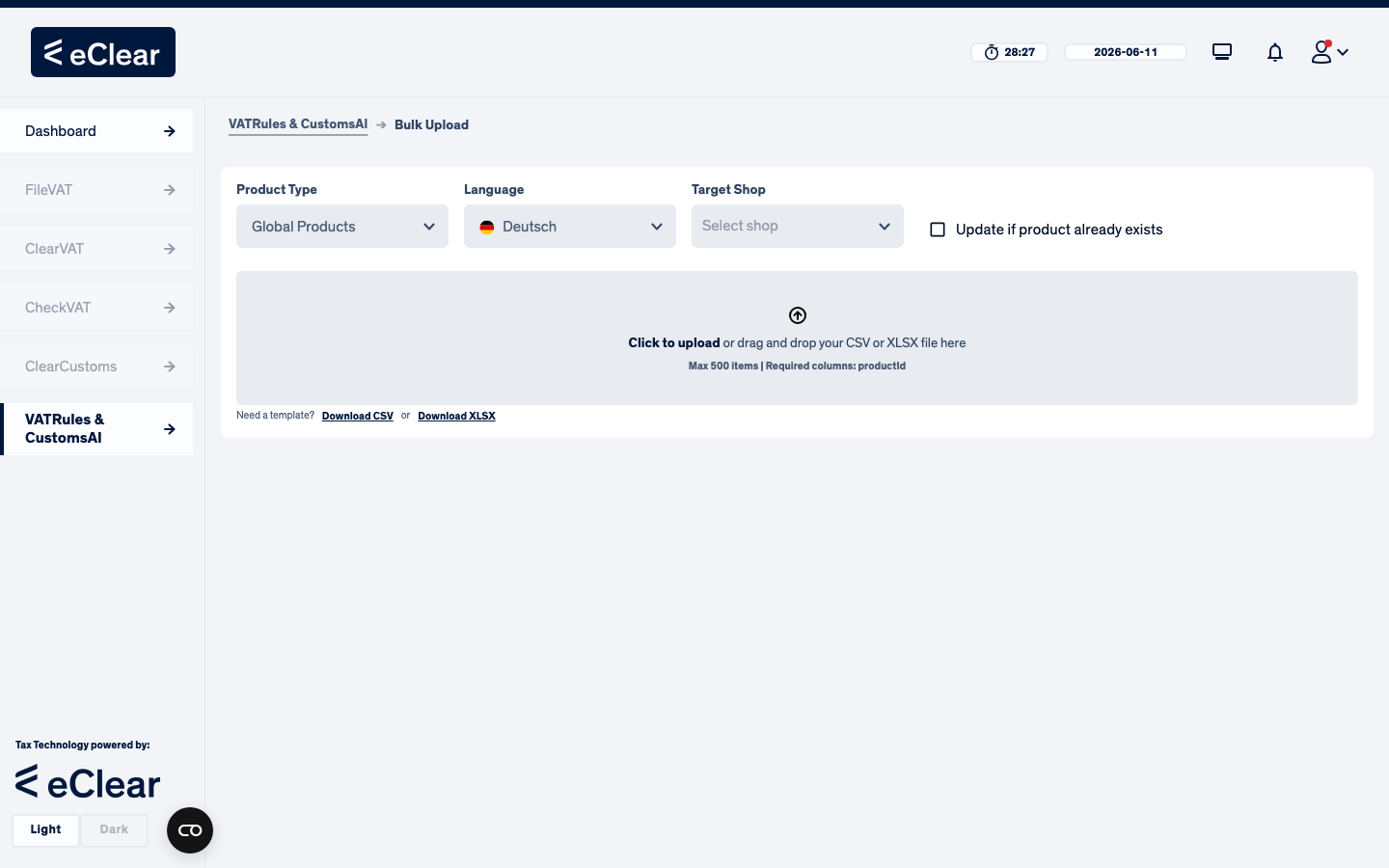
Set three things before dropping the file:
- Product Type — Global Products or Local Products (see the difference).
- Language — the language of the names/descriptions in your file (used for classification).
- Target Shop — required for local products; each row becomes a product of that shop. For global products you can additionally tick "Update if product already exists" to overwrite existing products with the same Product ID.
The dropzone stays disabled until the required selections are made.
Step 2 — Prepare the file
Click Download CSV or Download XLSX to get a template. Columns:
| Column | Required | Content |
|---|---|---|
productId | yes | your unique product ID / SKU |
productName | recommended | product name |
productDescription | recommended | longer description — auto-assignment uses name, description and tags |
productTags | optional | keywords, separated by | |
taricCode | optional | a TARIC code if you already know it — used directly by auto-assignment |
Columns for your own merchant product attributes are also recognised.
productId,productName,productDescription,productTags,taricCode
DOCS-BU-001,Cat Scratching Post 90cm,Sisal scratching post for cats with plush platform and toy mouse,cat|furniture|scratching,
DOCS-BU-002,Leather Dog Leash 2m,Genuine leather dog leash with brass snap hook for medium and large dogs,dog|leash|leather,4201000000
DOCS-BU-003,Cat Food Salmon 400g Can,Complete wet cat food with salmon in jelly for adult cats,cat|food|wet food,2309101100
Step 3 — Check the preview
Drop the file (or click to browse). Every row is validated and shown with a Valid / Invalid status before anything is imported:
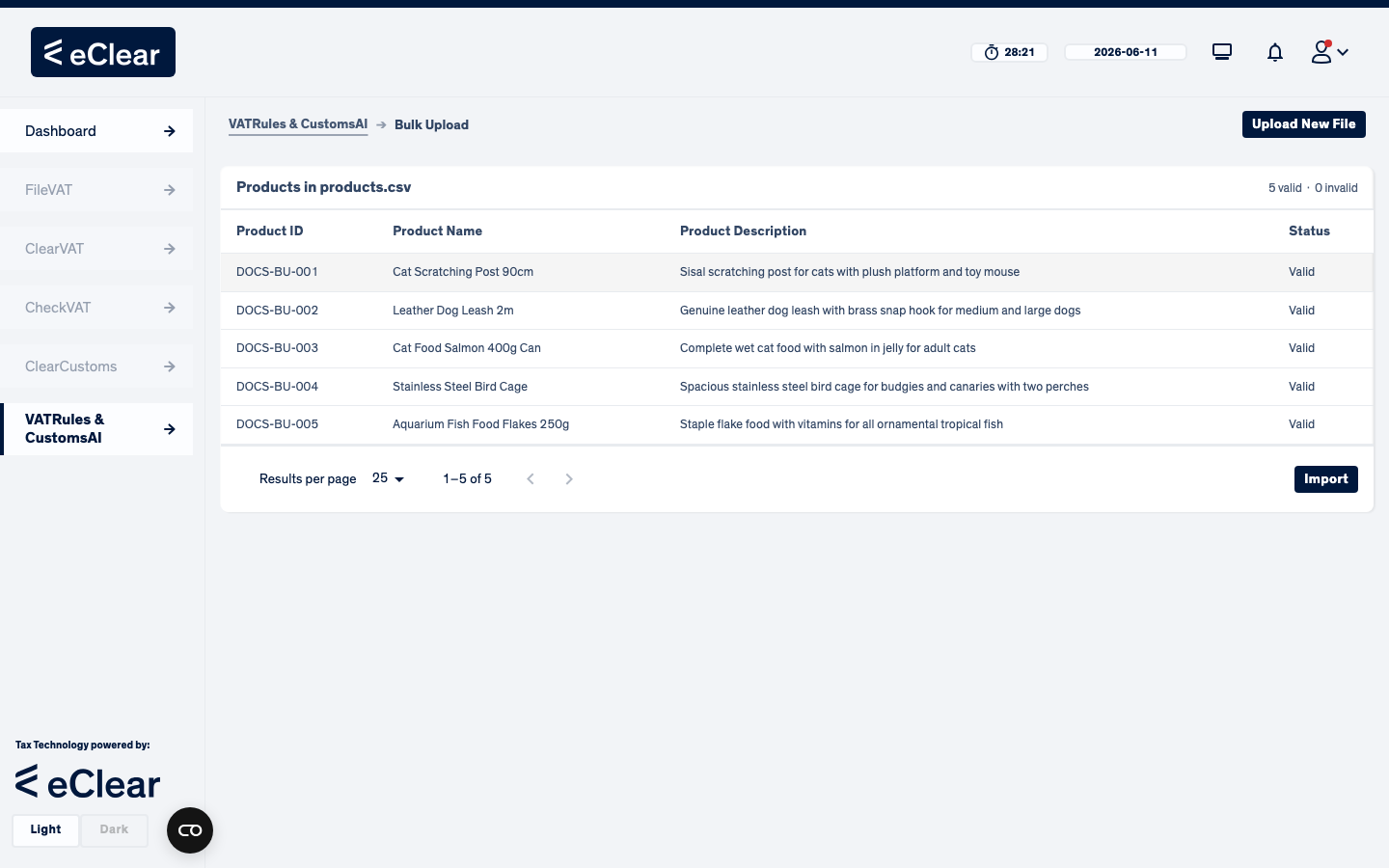
Invalid rows show the reason (e.g. missing productId). You can fix the file and use Upload New File to start over.
Step 4 — Import
Click Import. The result dialog summarises what happened:
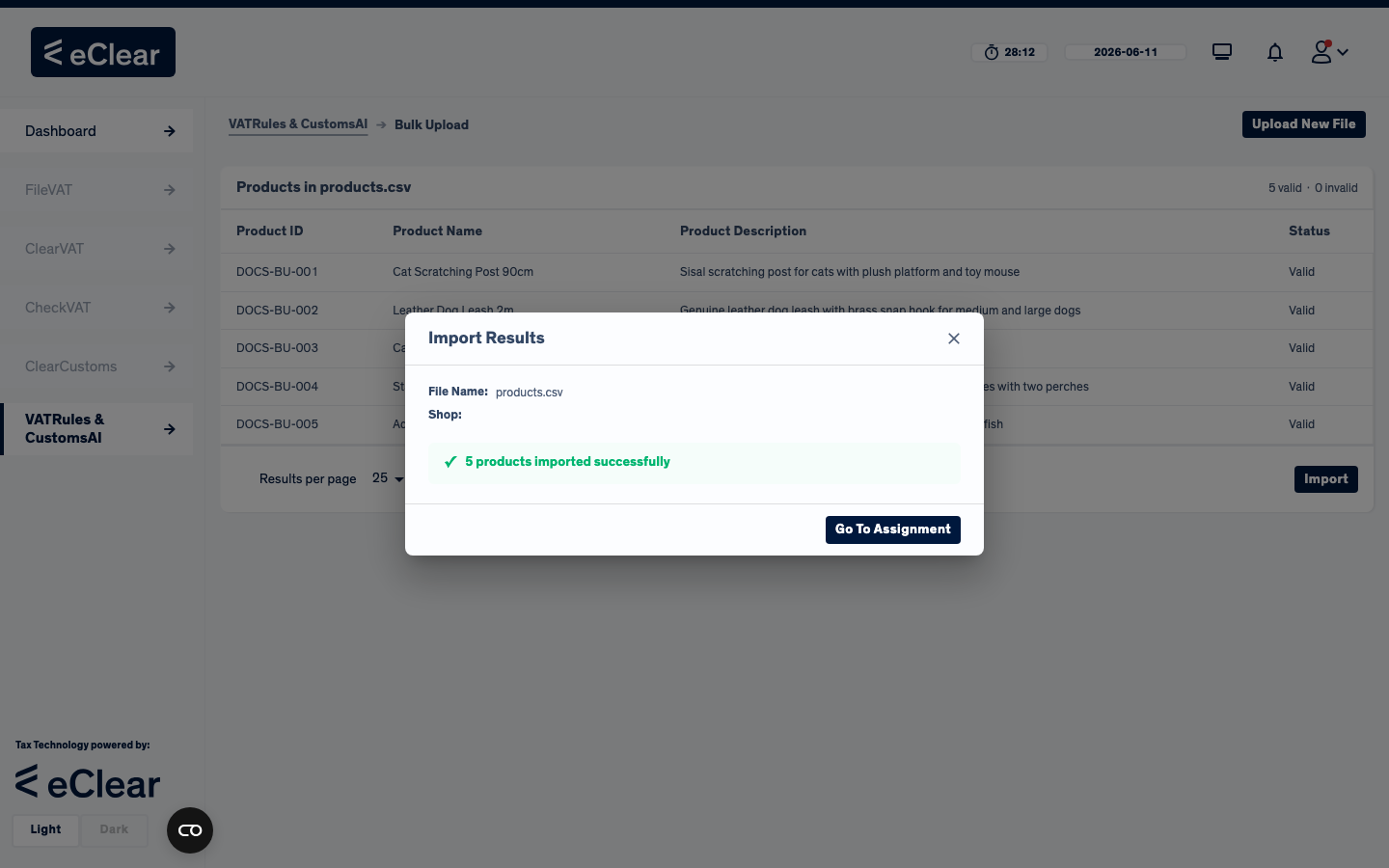
- Go To Assignment jumps straight to the Unassigned products view where the new products appear.
- Auto-assignment starts immediately in the background; products that get a sufficient class move to Assigned on their own after a few moments.